
A real sandbox
A community mode runs in an isolated web view: no network, no files, no reach into other apps, except what its manifest asks for — and that list is on screen before you install.
Media, alerts and files in the one spot of your screen that's always in sight. And now a whole store of modes and themes — vaho's own, and the ones the community makes.

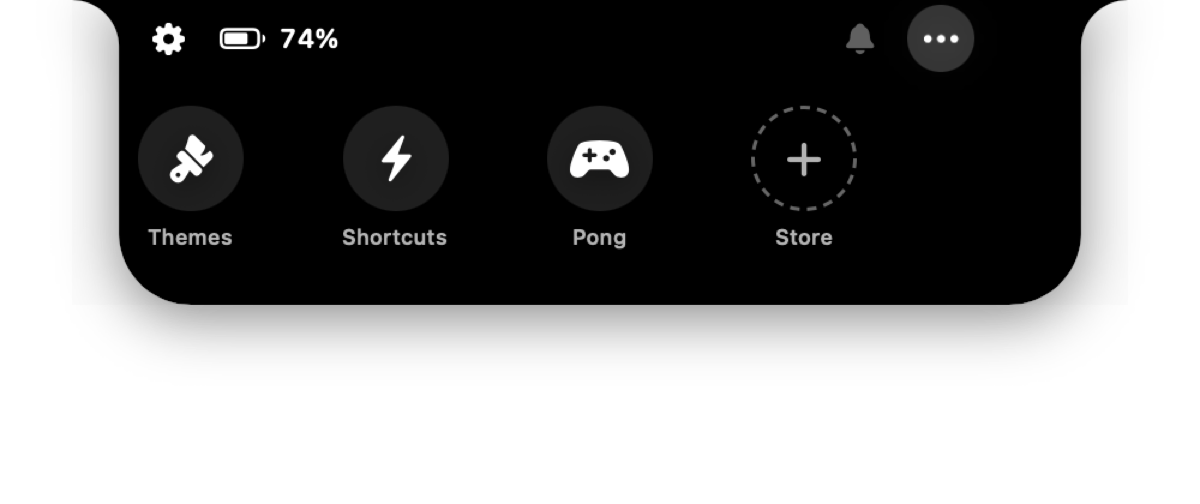
A community mode is a folder of HTML, CSS and JavaScript that vaho draws inside the notch. The guide takes you from zero to your first mode in an afternoon.
{
  "id": "com.example.nowplaying",
  "name": "Now Playing",
  "version": "1.0.0",
  "icon": "waveform",
  "height": 180,
  "permissions": ["nowPlaying", "media"],
  "allowedHosts": ["api.example.com"]
}
vaho hands the mode one bridge, window.vaho, carrying exactly what its manifest asked for. No Xcode, no build step, nothing to sign.
The eleven permissions a mode can ask for. Everything else — theme, storage, panel height, haptics — needs none, because it never leaves the notch.
A community mode runs in an isolated web view: no network, no files, no reach into other apps, except what its manifest asks for — and that list is on screen before you install.
Every upload runs through automated validation — manifest, size, file types, duplicates. Anyone can report a mode, and one can be taken down.
A folder in ~/.config/vaho/webmodes/ is already an installed mode. Edit, hit Reload, repeat. Nothing to compile.
Rest three fingers on the trackpad, without pressing, and the notch opens with every desktop on the display, full-screen apps included. Slide to the one you want and lift: you're there, instantly, without sliding through every desktop on the way.
Sweep three fingers without resting them first and you're on the next desktop over, no strip to pick from. You choose which way it goes.
Each card shows the desktop as it looks right now, the icons of its apps, or only its number.
macOS only adds, moves and closes desktops in Mission Control, so vaho does it there, behind a still picture of the screen. All you see is the strip change.
Hold time, travel per desktop and a haptic tick on every desktop. The panel wears your notch's style and border.
The gesture needs Accessibility, to hold back macOS' own three-finger swipe and to change desktops. Previews need Screen Recording; without it, each desktop shows its apps.
When the session locks, the notch grows into a small strip of widgets drawn over the lock screen: what's playing, your next event, batteries, and how many alerts are waiting. You pick which ones, and how high they sit. Nothing here can unlock the Mac — it's a readout.


Album art, title and playback controls for what's playing.
Your next calendar event and when it starts.
The Mac's, plus AirPods, mouse and keyboard when they report one.
How many alerts are waiting per app. Only icons and numbers — no text.
vaho's themes reach further with its sibling apps: a theme can carry your desktop widgets, an animated wallpaper and your terminal's look too. vaho detects them on its own; if you don't have them, it applies everything else and offers you the link.

Widgets on your desktop — clock, weather, anything — drawn on the wallpaper, behind your icons.
A transparent, borderless terminal that lets your desktop show through. Themes restyle its colours and type.

Your minimized windows, on the left edge. Push the pointer there and they slide out as a row of previews — click one and it comes back.

An animated ASCII wallpaper in the style of Omarchy. It costs almost no battery and stops completely while a window covers it. Themes restyle its palette.
Simple rule: your everyday, free. The four tools people live in, and everything that lifts a limit, Pro. One payment.
No account, no catch. macOS 13+ · Silicon & Intel.
No licence to activate — download and it runs.
No subscription. Lifetime updates included.
Pro activates inside the app — download the free version first.
Pro is what pays for the store, the review of what goes into it, and the next version.